One sign-in.
Every IQ app.

IQ Hub is the front door to every IQ app your company uses. Sign in once, see what needs you today, and open the right app with one click. It also has Dash, our AI assistant, to answer how-to questions. IQ Hub is included free with your apps.

IQ Hub home screen showing what needs attention and a launch button for each IQ app
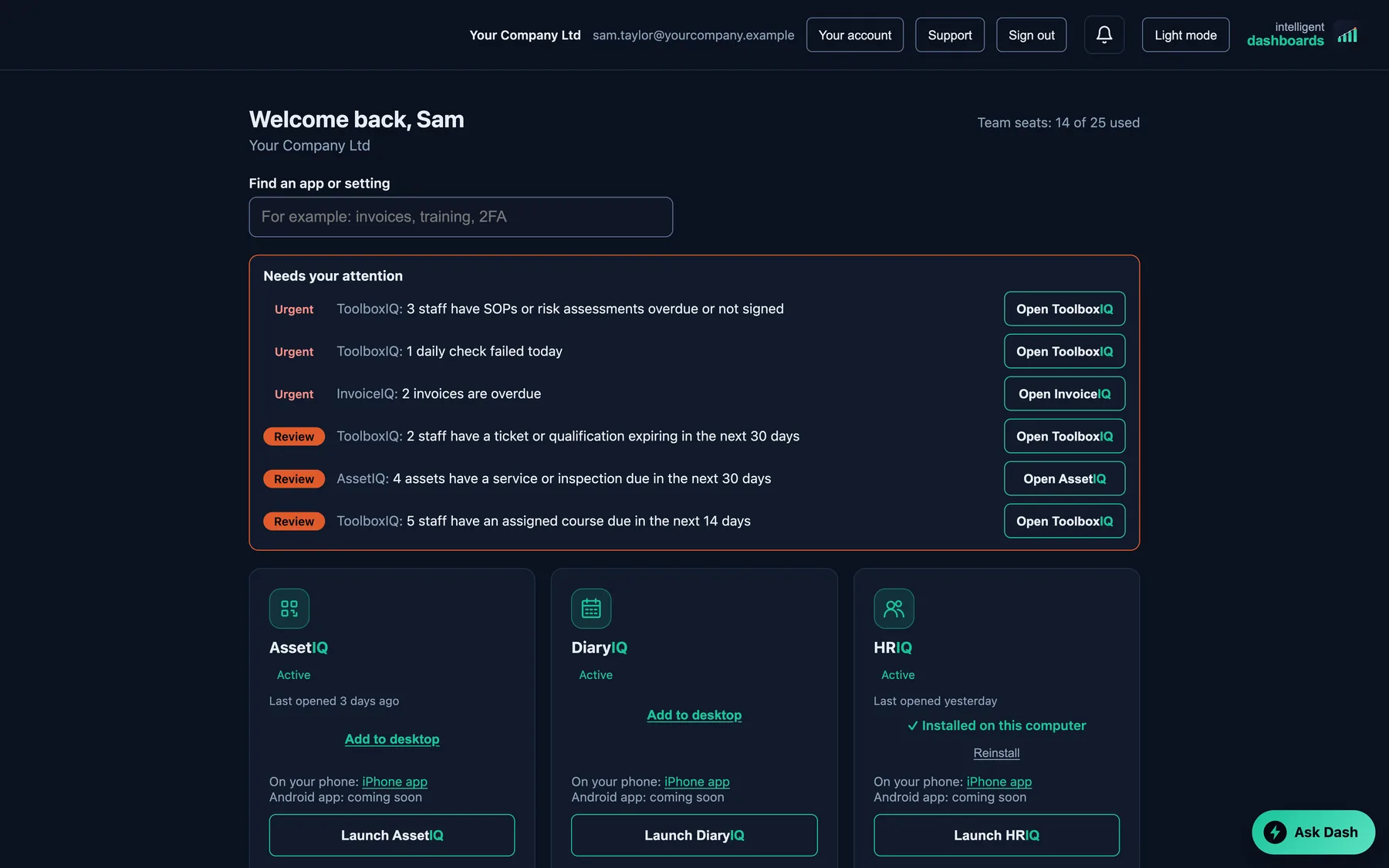
IQ Hub Needs your attention list: overdue sign-offs, a failed daily check, overdue invoices and assets due a service
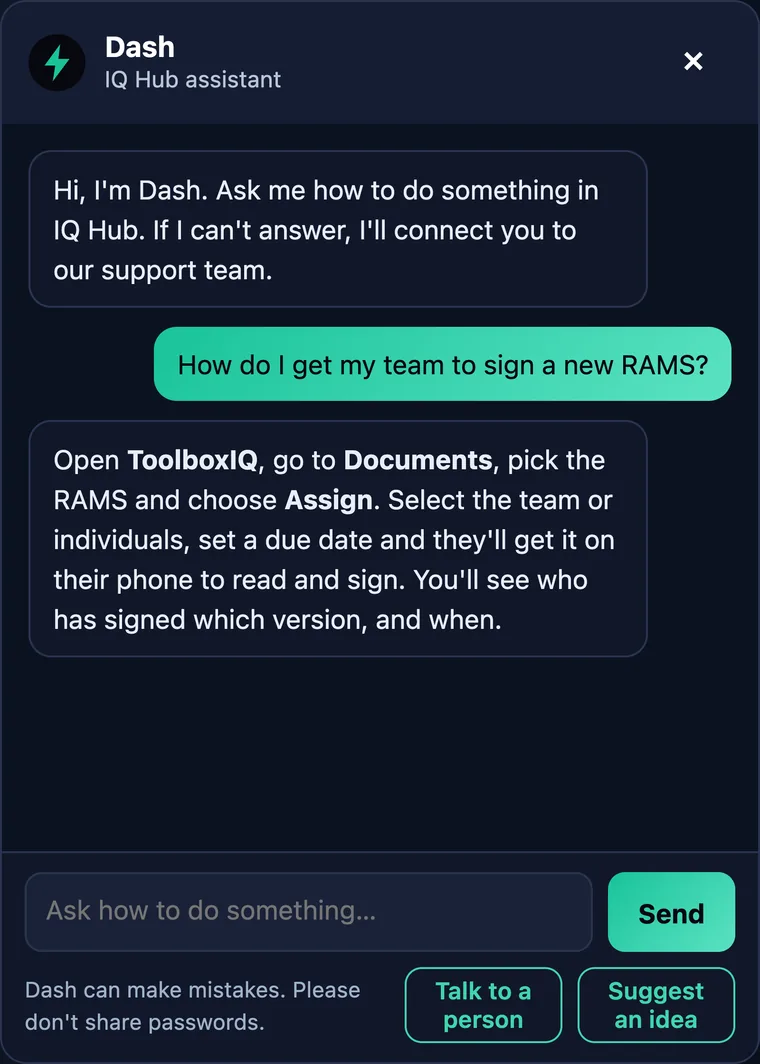
Dash, our AI assistant, answering a how-to question inside IQ Hub
One sign-inNeeds your attentionDash AI assistant

Screens show sample data.

Everything your company runs, behind one door.

Most firms keep health and safety in one place, HR in another, assets or invoices somewhere else, and a password for each. IQ Hub puts them under one company account.

One secure sign-in

Sign in once with two-factor authentication, or with your organisation's Microsoft account. Then open each app with one click, already signed in to the right company.

See what needs you today

Before you open an app, IQ Hub lists what needs attention across all of them, urgent first, with a button straight into the right app.

Ask Dash, our AI assistant

Stuck? Dash answers how-to questions from our manuals, day or night, and passes you to our support team when it can't help.

Every app in one place

Launch buttons for each app you have, with an "Add to desktop" option and links to the iPhone apps. Search for an app or a setting from one box.

One account page

Owners and admins see every product, its seats and its renewal date in one place, and can ask for a seat change, an invoice copy or a full export of your data.

More than one company?

If you work across more than one company, switch between them in IQ Hub. Each keeps its own apps, people and data.
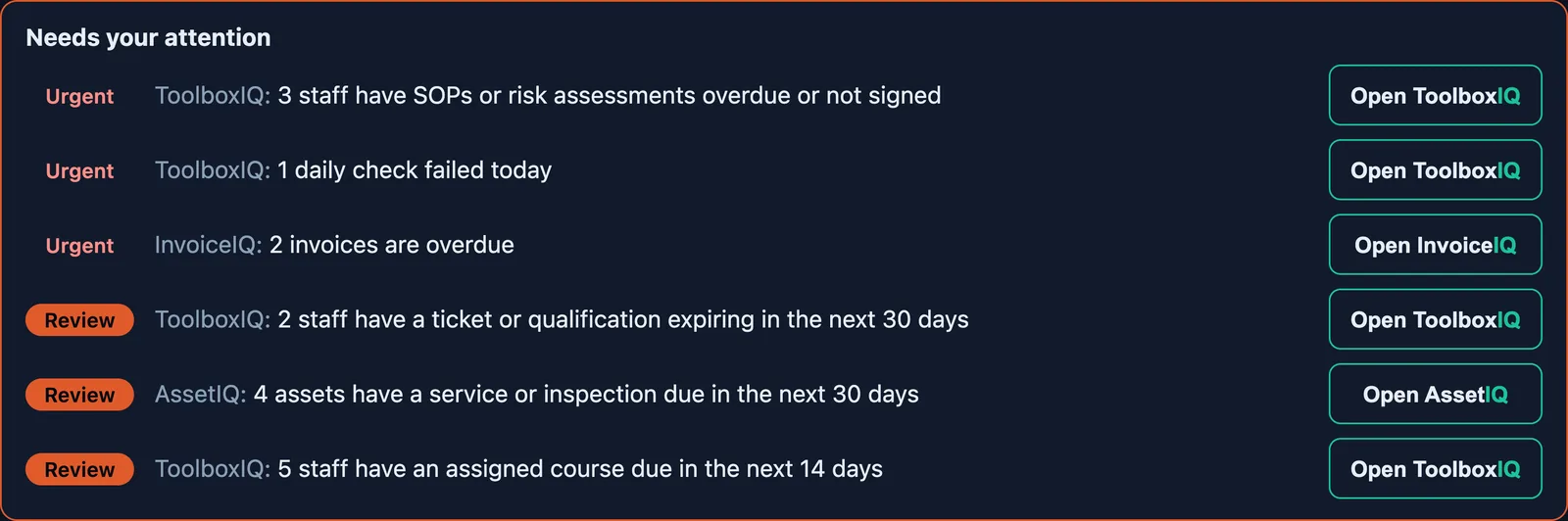
Know before you open anything.

IQ Hub reads across your apps and puts the urgent things at the top of one list. Each row has a button that takes you straight to the right place to fix it.

  • ToolboxIQ SOPs and risk assessments overdue or unsigned, failed or missed daily checks, tickets and qualifications expiring in 30 days, assigned courses falling due
  • InvoiceIQ invoices overdue or due this week
  • AssetIQ assets with a service or inspection due in the next 30 days

What shows depends on the apps you have.

IQ Hub Needs your attention list with urgent and review rows and an Open button on each
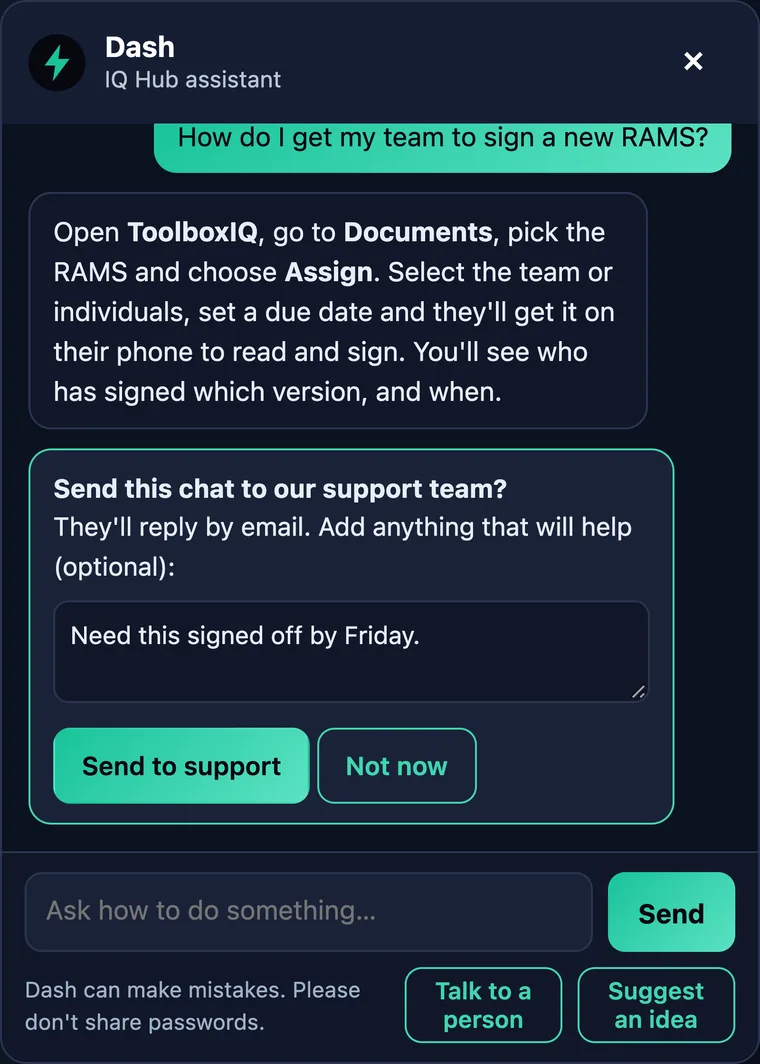
Dash, our AI assistant, offering to send the chat to the support team
Dash, our AI assistant, answering how to get a team to sign a new RAMS
AI assistantA real person when you need one

Screens show sample data.

Dash, our AI assistant, in IQ Hub and your apps.

Click Ask Dash in IQ Hub or any signed-in web app and ask how to do something in plain English. Dash answers from our own user manuals, so you get the steps without searching a help site.

  • Answers from our manuals how-to steps for ToolboxIQ, HRIQ, DiaryIQ and our other apps
  • A real person when you need one ask for a person and your chat goes to our support team with a short summary, and they reply by email
  • It can't see or change your data Dash only receives what you type and your company name, and the only AI provider behind it is Anthropic. Chats are never used to train models
  • It doesn't quote prices for anything unpublished it points you to our team

Dash is an AI assistant and can make mistakes, so please don't share passwords with it. It is in IQ Hub and our signed-in web apps, not yet in the store apps. How we handle Dash chats.

Four steps, no setup for you.

We set IQ Hub up when we onboard you. Your team just signs in.

1

Sign in once

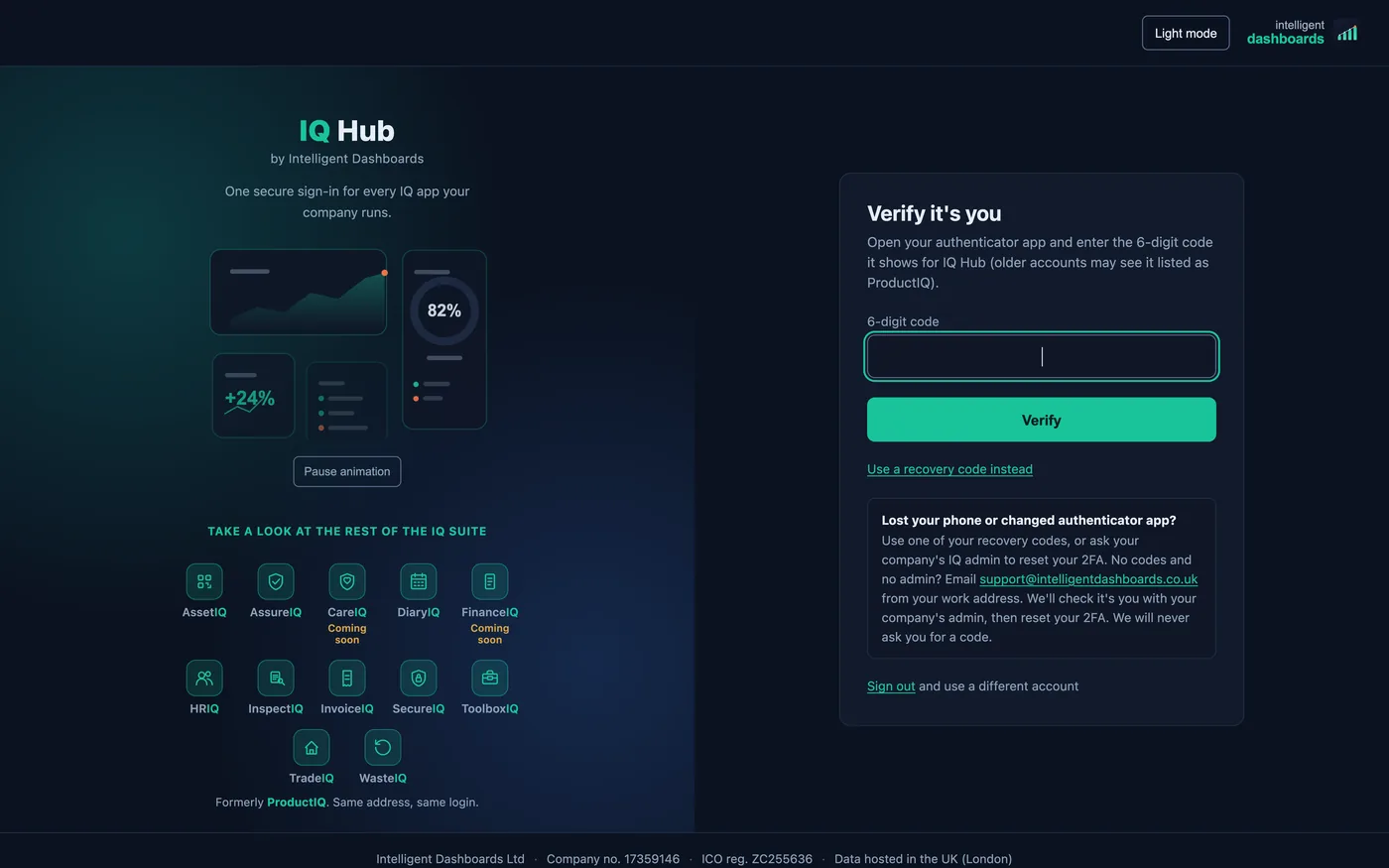
With a password and two-factor code, or your organisation's Microsoft account.

IQ Hub two-factor verify screen with the list of IQ apps
2

See what needs you

The attention list shows overdue and expiring items across your apps.

IQ Hub Needs your attention list
3

Launch an app

One click opens the app already signed in, on the right company.

IQ Hub home screen with a Launch button on each app
4

Ask Dash

Get the steps for a task from our AI assistant, or ask for a person.

Dash, our AI assistant, answering a question

Locked down by default.

Cyber Essentials certified, with IASME cyber liability insurance included. Your data is hosted in the UK (London).

Two-factor on every account

Everyone signs in with a second step, with recovery codes if a phone is lost. Admins can reset a colleague's 2FA.

Microsoft sign-in

Connect your organisation's Microsoft account so staff sign in the way they already do, and leavers can be switched off automatically.

Sign-out when idle

Choose how long a signed-in screen can sit unused before IQ Hub signs it out.

See the security page and our accessibility statement for detail.

Every IQ app you use, in one place.

AssetIQAssureIQDiaryIQHRIQInspectIQInvoiceIQSecureIQToolboxIQTradeIQWasteIQ CareIQComing soon FinanceIQComing soon

IQ Hub shows the apps your company has. We lead with ToolboxIQ, with HRIQ as the natural next step.

IQ Hub FAQ

Does IQ Hub cost extra?+

No. IQ Hub is included free with your apps. You pay for the apps and seats you use, and IQ Hub is how your team reaches them.

What is Dash?+

Dash is our AI assistant. It answers how-to questions from our user manuals inside IQ Hub and our signed-in web apps. It can't see or change your data, it can make mistakes, and it hands your chat to our support team if you ask for a person.

Is my data sent to an AI?+

Only what you type to Dash, and your company name, is sent to Anthropic, our only AI provider, to write each answer. It isn't used to train models, and Dash can't see your dashboards. Please don't type passwords into it. The detail is on our privacy page.

Do my team need a separate login for each app?+

No. They sign in to IQ Hub once, then open each app they have access to with one click. Apps still respect each person's role and seat.

Can we use our Microsoft accounts?+

Yes. We connect your organisation's Microsoft account during onboarding, so staff sign in with it, and leavers can be removed automatically when they leave your directory.

Is Dash in the iPhone and Android apps?+

Not yet. Dash is in IQ Hub and our signed-in web apps. It will come to the store apps in a future release.

See IQ Hub in the guide

Every customer starts in IQ Hub. The guide opens there, then shows each app.

Open the guide →

See IQ Hub with your own apps.

Book a demo and we will walk you through IQ Hub, the attention list and Dash alongside ToolboxIQ.

You own your dataUK-hosted24/7 supportCyber Essentials certifiedICO registered · DPA available